Run App Configuration - Admin
In the Run App Configuration, predefined configurations can be executed, edited, or copied. This allows software configurations to be made available across the entire system and managed globally.
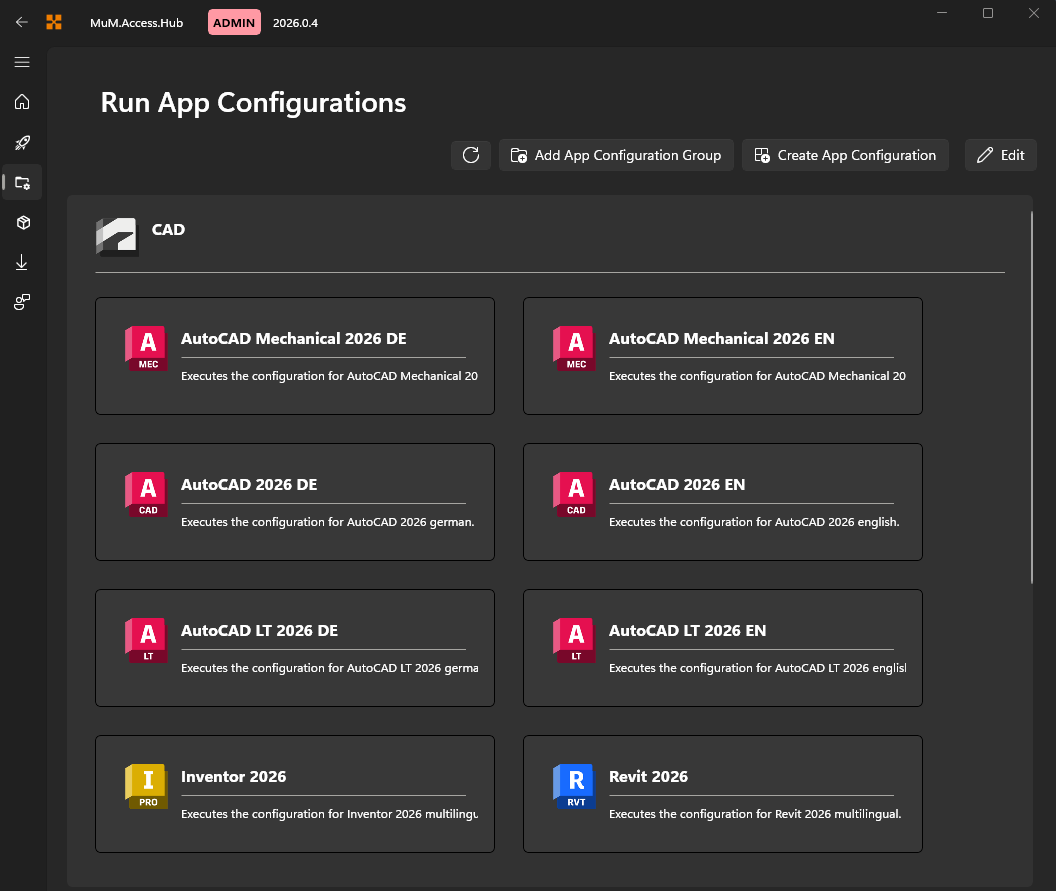
Run configuration
When a configuration is selected, it can be executed via Run configuration or Write configuration. This allows configurations to be either executed or written. The built-in logs help identify and correct errors.
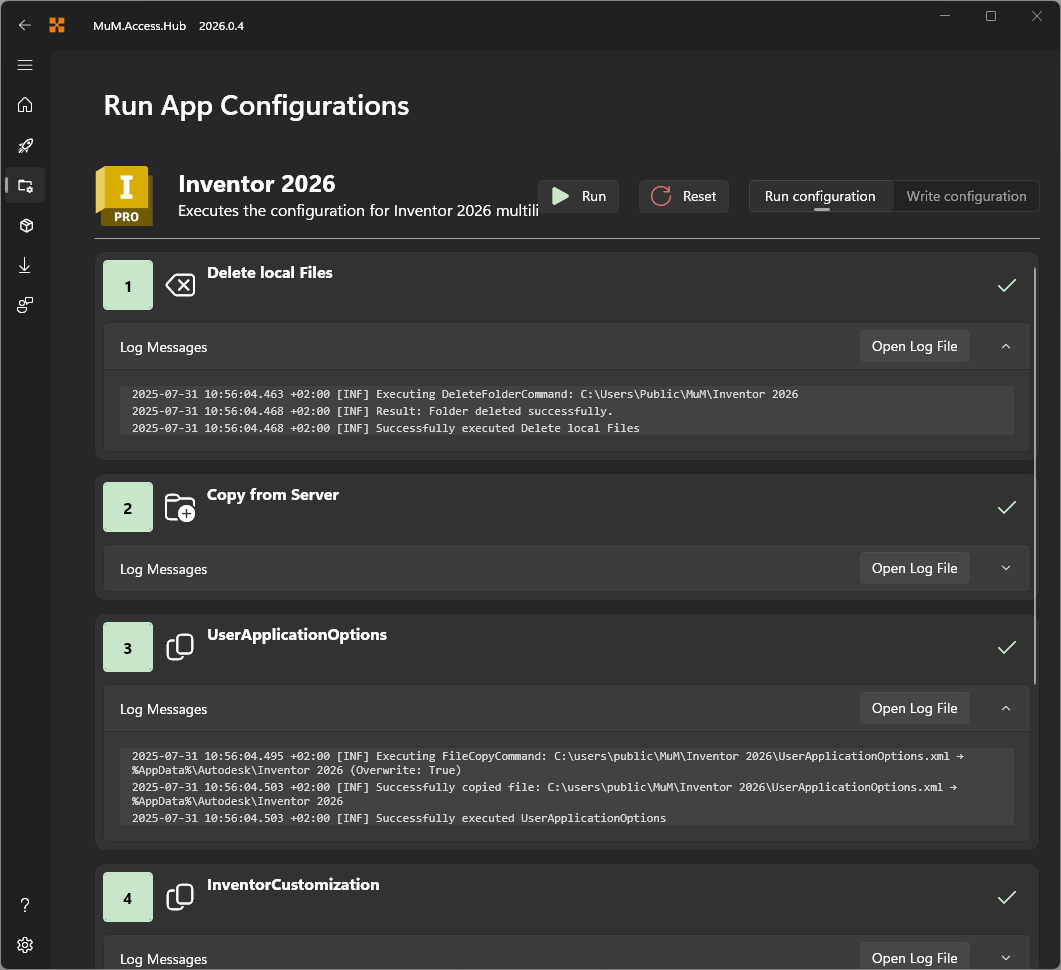
The individual steps are displayed and marked on the right side with a green checkmark (for successful execution) or a red cross (for a failed execution). Clicking on Reset allows the status of the log messages to be cleared and the configuration to be restarted.
Write configuration
When a configuration is to be written, a confirmation prompt always appears to ensure that it should actually be executed.This will overwrite the global configuration.
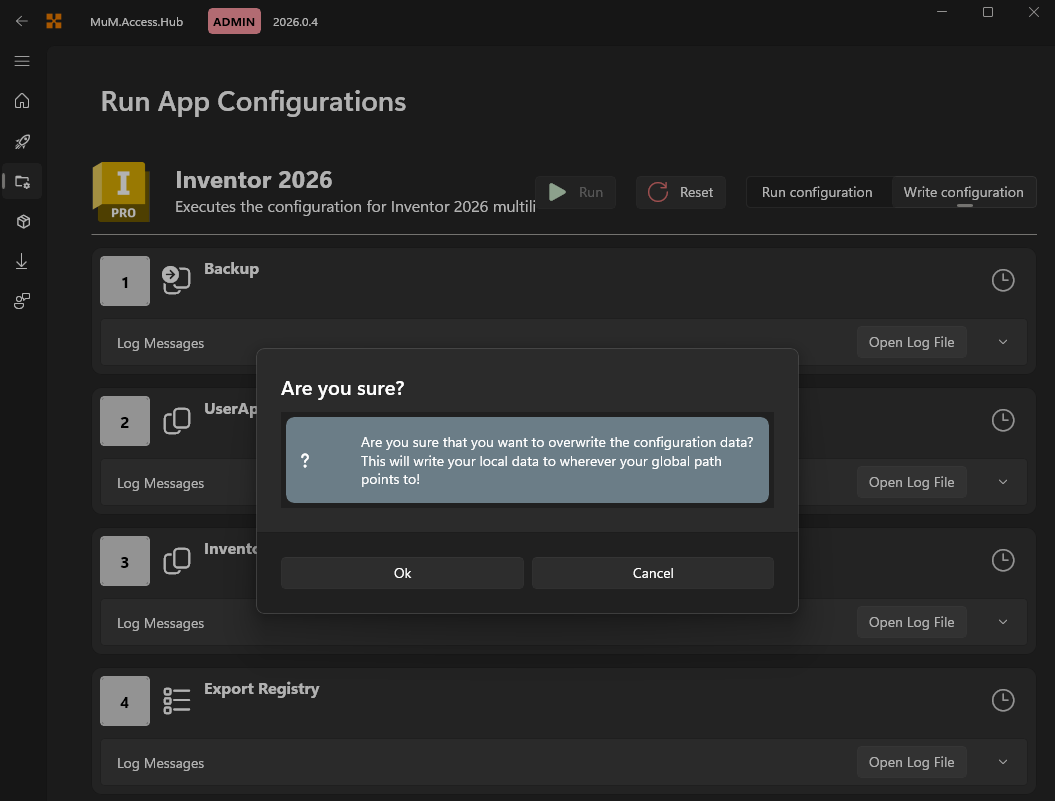
Please back up the global configuration beforehand in case you need to revert to it.